First, define what "color inconsistency" means
On fashionreps product pages, color information can appear in several places: the product title, body specifications, images, variant options, or near the purchase entry. They serve different purposes: the title is for navigation, specifications are page text, images show visual appearance, and variant options are related to actual selection. When inconsistencies occur, you cannot simply rewrite one version as determined product fact.
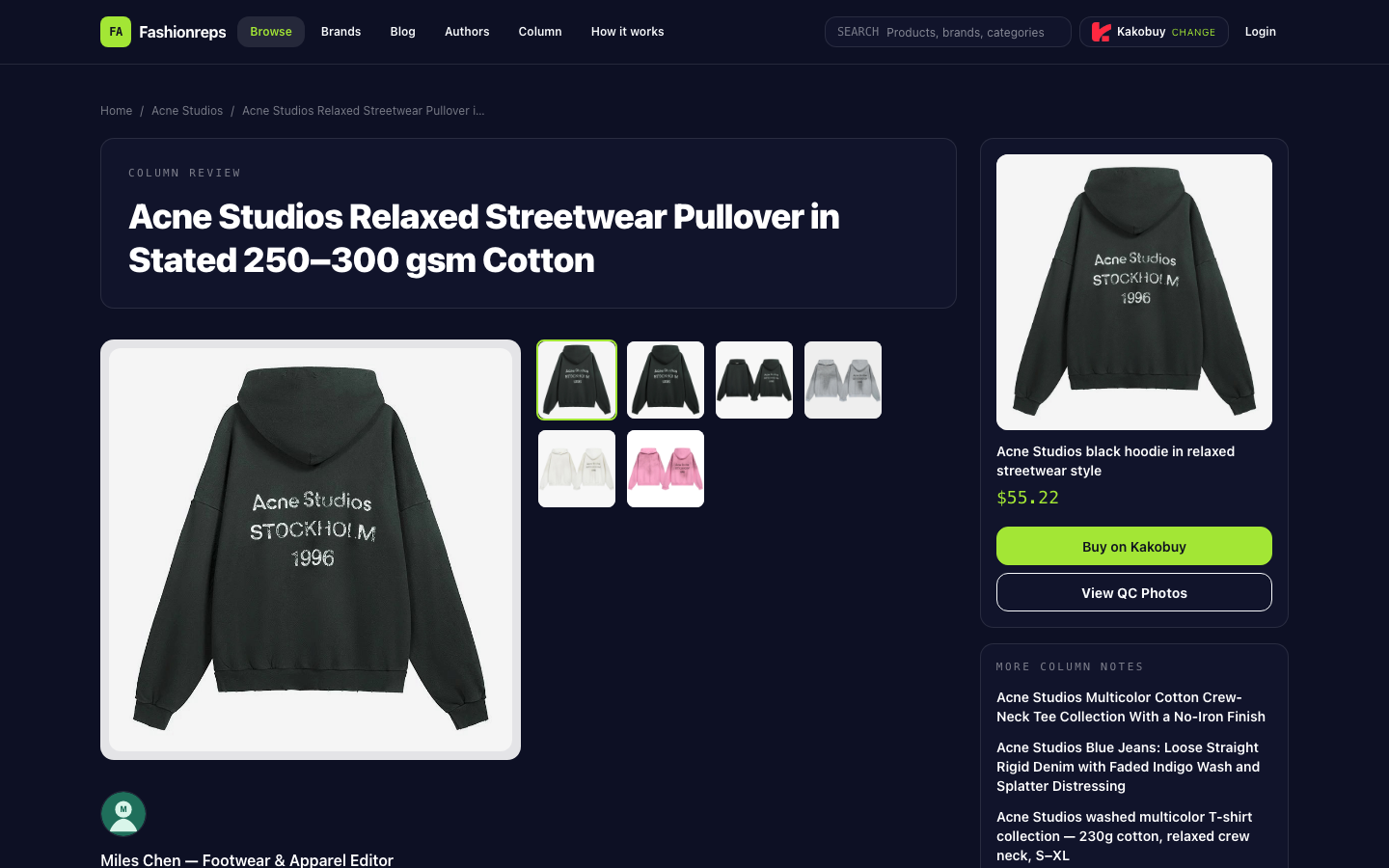
Take the currently verifiable Acne Studios candidate page as an example. The page title uses the expression "black hoodie," while the catalog summary only states that the product comes in multiple colors. The provided evidence does not include a per-image and per-variant color mapping. Therefore, the article record should keep "what the page says" separate from "how the editor judges."
Step 1: Go back to the product page and collect evidence item by item
Do not open the spreadsheet and fill it from memory. Re-enter the same product detail page and check the following locations in a fixed order:
- Record the color text in the page title exactly as written, including capitalization, hyphens, and color combinations.
- Copy the color text from the specifications section or product description; do not overwrite the original with a translation.
- Look at each main image and detail image one by one, record the color impression from the image, but mark it as visual observation, not text specification.
- Expand each variant option, record the selectable color names and whether they sync with the current image.
- Save a screenshot or note the screenshot file name, and record the access time.
- Check whether the purchase entry still points to the same product page; do not infer stock, shipping, or final price just because a reference price appears on the page.
The goal of this step is not to determine "what color the product actually is," but to build an evidence chain that can be traced back to the original page. If the page text says black but the image appears gray, record it as "text and image visual inconsistency," not directly as "gray."
Step 2: Create traceable fields in Google Sheets
It is recommended to have one row per verification. When re-checking, add a new row or a new verification version; do not overwrite old records. This way you can distinguish whether the page changed later or it was an initial entry error.
| Field | How to fill | Purpose |
|---|---|---|
| Product name | Save the name shown on the page | Confirm the verification subject |
| Page color text | Copy the title or specification text verbatim | Preserve textual evidence |
| Image color observation | Describe the visual appearance in the image, and add "image observation" | Avoid writing subjective observation as specification |
| Variant color text | Record each option name item by item | Determine if options are complete |
| Screenshot file name | Record the screenshot or evidence file name | Return to the original screen |
| Screenshot time | Use local date and time | Determine if page has changed |
| Page address identifier | Save the address information for the product page | Locate the original page |
| Review status | Pending, partially consistent, confirmed, paused citation | Control the scope of future use |
| Notes | Record conflict locations and questions to confirm | Facilitate next review |
For color fields, it is best to split them into "page color text," "image color observation," and "variant color text," rather than having a single "color" column. A single field mixes copied content, visual judgment, and purchase options; later it is hard to know where the conclusion came from.
Step 3: Use filters to locate conflicts, not to rewrite conclusions first
In Sheets, you can first filter by product name, then check whether color-related fields are empty, whether multiple different original texts appear, or whether the review status is still pending. For the same page, it is recommended to write conflict locations as specific descriptions, for example:
"Title says black; specifications do not give an independent color value; main image appears dark gray visually; variant options are not shown in the current screenshot."
Such records are more useful than "color uncertain" because the next reviewer knows which evidence is missing. If the page text and variant options agree, but the image shows a different tone due to lighting, background, or display device, you can temporarily mark it as "text and variant consistent, image is for visual reference only," rather than claiming the image color is wrong.
Step 4: Set conditions for pausing citation
If any of the following occurs, set the status to "paused citation" and do not write that color as a definite fact in the article:
- The title, specifications, and variants show different color names, and the page does not explain their relationship.
- The product shown in the image cannot be confirmed to correspond to which variant.
- Color options cannot be expanded, the screenshot is incomplete, or the page redirects during verification.
- Only editor's visual judgment exists, with no corresponding page text or variant evidence.
- The product page cannot be opened normally, or the current link can no longer locate the original product.
Pausing citation does not mean the product is problematic; it only means the existing evidence is insufficient to support a specific color assertion. You can request real photos of the current style, color labels, and variant correspondence from the seller or shopping agent; after receiving new evidence, add a new verification record instead of deleting old records.
What fashionreps pages and Google Sheets are each good for
Product pages are suitable for viewing current catalog content, images, specifications, variants, and purchase entry. They reflect the information displayed at the time of viewing, but page content may be updated, and images alone may not prove color names. Google Sheets is suitable for saving multiple verification results, filtering conflicts, assigning review tasks, and keeping a timeline; it cannot replace the product page, nor can it fill in missing evidence from thin air.
Therefore, a more reliable workflow is: first collect original text and screenshots on the fashionreps page, then index the evidence into Sheets, and finally decide whether to cite based on the review status. The judgment column in the sheet should only say "consistent with page text," "image differs from text," or "insufficient evidence, pause," not write speculation as product fact.
Practical handling for this Acne Studios candidate
The provided page evidence shows that the candidate is described as an Acne Studios relaxed pullover style, the catalog text mentions multiple colors, and the reference price is $55.22; final product price, service fee, and international shipping need to be confirmed on the shopping agent website. The existing evidence does not complete the per-variant mapping with images, nor does it prove that the page's stated black is fully consistent with all images or options.
So in the spreadsheet, first save the page title, color text, image observation, variant text, screenshot time, and review status. If these fields cannot correspond to each other, the article can only state that color information needs further verification, and cannot write black, gray, or other visual judgments as confirmed purchasable colors. Before confirmation, this candidate should not be recommended as a color-specific item.
Article image
